

Best Ultrawide Monitors in 2026: Productivity and Gaming Picks Compared
Best Ultrawide Monitors in 2026: Productivity and Gaming Picks Compared
nnUltrawide monitors have become the productivity upgrade that most people who buy one refuse to give back. The 21:9 aspect ratio — typically 34 inches wide — provides screen real estate that eliminates the need for a second monitor in most workflows while avoiding the bezel gap that dual-monitor setups have in the center of your field of view. For code editors, spreadsheets, video editing timelines, and having a browser and communication app visible simultaneously, ultrawides are genuinely superior to both standard single monitors and many dual-monitor setups.
The gaming case is strong but more nuanced. Ultrawide support in games has improved significantly — most AAA titles natively support 21:9 — but competitive multiplayer games (Counter-Strike, Valorant, some battle royales) either don’t support ultrawide or are played at standard 16:9 by competitive players to maximize frame rates. If your gaming is primarily single-player and story-driven, an ultrawide creates an immersive experience that standard monitors can’t match. If you play competitive multiplayer seriously, a fast 16:9 gaming monitor may be more appropriate.
Best ultrawide monitors in 2026
Best overall ultrawide: LG 34GP950G-B ($650). LG’s 34-inch IPS ultrawide delivers the combination that productivity and gaming users need: fast 180Hz refresh rate, accurate color (98% DCI-P3), G-Sync Ultimate and FreeSync Premium Pro compatibility, and 3440×1440 resolution that provides adequate pixel density for text. The stand has full ergonomic adjustment, and USB-C with 96W power delivery means a single cable can connect, charge, and power a MacBook or modern laptop. Consistently the recommendation from monitor review specialists at this price point.
Best value ultrawide: LG 34WN80C-B ($430). At $430, this USB-C ultrawide delivers the essential ultrawide experience — 34 inches, 3440×1440, sRGB-accurate color — without gaming features (60Hz, no G-Sync). For writers, developers, spreadsheet workers, and anyone who watches video and doesn’t game, this is one of the best value monitors available at any aspect ratio. The 75W USB-C charging is adequate for most ultrabooks and thin-and-light laptops.
Best gaming ultrawide: Samsung Odyssey G9 ($1,000). Samsung’s 49-inch super ultrawide (32:9 aspect ratio, 5120×1440 resolution) delivers an immersive experience that standard monitors genuinely cannot replicate — the equivalent of two 27-inch monitors merged into one continuous display. The 240Hz refresh rate and 1ms response time satisfy competitive gaming requirements. The tradeoff: at $1,000 and 49 inches, it requires a wide desk and significant investment, and not all games support 32:9 natively.

Best ultrawide monitors 2026: comparison
| Monitor | Size/Resolution | Refresh | Price |
|---|---|---|---|
| LG 34GP950G-B | 34″ 3440×1440 | 180Hz IPS | $650 |
| LG 34WN80C-B | 34″ 3440×1440 | 60Hz IPS | $430 |
| Samsung Odyssey G7 34″ | 34″ 3440×1440 | 165Hz VA curved | $550 |
| Samsung Odyssey G9 49″ | 49″ 5120×1440 | 240Hz VA curved | $1,000 |
Ultrawide vs dual monitors: the honest comparison
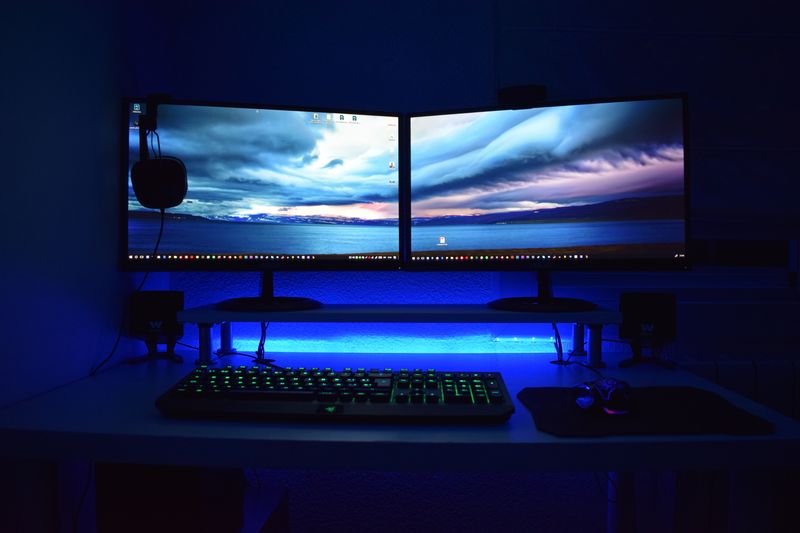
Dual monitors have one significant advantage over a single ultrawide: you can position the two screens independently, which matters if your workflow involves frequently looking at one screen while minimizing the other. The ability to physically turn one monitor and have it face slightly differently than the other accommodates certain creative and trading workflows.
Ultrawides win on aesthetics, simplicity, and screen continuity. No bezel gap in the center means dragging windows across the screen is seamless, video and gaming content looks continuous, and the desk setup is cleaner. For most productivity users, the ultrawide experience is preferable to two monitors once experienced.
MacBook and laptop compatibility: the USB-C check
Before buying an ultrawide, verify USB-C/Thunderbolt compatibility if you plan to connect a laptop. Not all USB-C monitors support DisplayPort Alt Mode for video output — some support only charging over USB-C with video requiring a separate HDMI or DisplayPort cable. Monitors that support USB-C with video passthrough (typically labeled USB-C with DisplayPort Alt Mode) allow a single cable to handle video, data, and charging — the optimal laptop setup. The LG ultrawides consistently handle this well; verify Samsung and other brands’ USB-C specifications before purchasing.
