

Room Redesign Tech in 2026: AR Paint Visualizers, AI Design Tools, and Smart LED Panels
Room Redesign Tech in 2026: AR Paint Visualizers, AI Design Tools, and Smart LED Panels
nnChoosing paint colors for a room used to mean grabbing a handful of small paper swatches, holding them against the wall in different light, and guessing. Inevitably, you’d paint the whole room and discover that “Coastal Fog” looks nothing like the swatch suggested — it’s actually a muddy gray that makes the room feel like a submarine. Then you’d repaint. The entire process was expensive, time-consuming, and surprisingly hard to get right.
That problem is solved. AI-powered room visualization apps, augmented reality color previews, and spectrophotometer-calibrated color matching have made interior color selection a science rather than a gamble. And the technology has gone further: smart LED panels can now simulate any paint color digitally before you buy a drop, letting you see exactly what your room will look like in that color at different times of day and in different lighting conditions. The room transformation toolkit in 2026 is as much software as it is hardware.
AI room visualizers: how they work
The leading room visualization apps — Benjamin Moore’s Personal Color Viewer, Sherwin-Williams ColorSnap, and Dulux Visualizer — use a combination of computer vision and AI to transform your phone’s camera into a room design tool. Point your camera at a wall, select a paint color from the catalog, and the app repaints the wall in real time in augmented reality. The better apps do this with realistic lighting simulation — shadows, reflections, and light variation across the day — rather than just flat color overlays that look obviously fake.
Apple’s RoomPlan API, released in 2022 and now integrated into dozens of design apps, uses LiDAR sensors on newer iPhones to create precise 3D room scans in under a minute. These scans feed into apps like Houzz, Magicplan, and Planner 5D, which let you change paint colors, swap furniture, and redesign entire rooms in a photorealistic 3D model. The result: you can walk through a virtually redesigned version of your home before spending any money on actual changes.
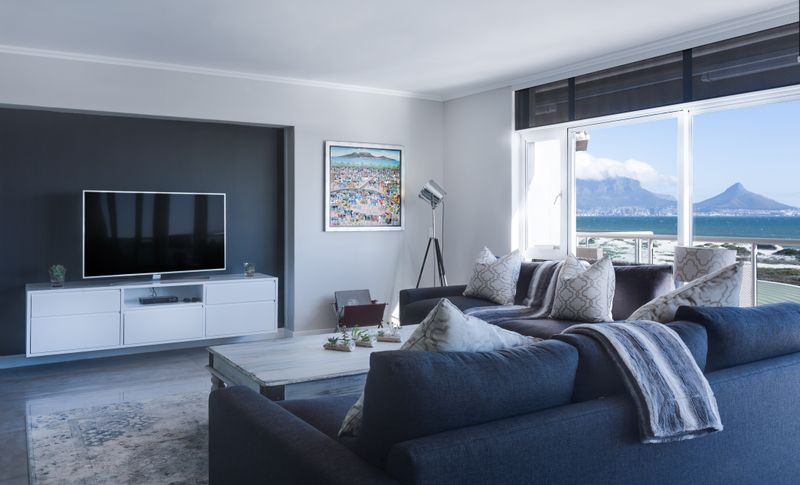
Room transformation tech compared: 2026
| Technology | Best tool 2026 | What it does | Cost |
|---|---|---|---|
| AR paint visualizer | Sherwin-Williams ColorSnap | Real-time AR paint preview on walls, 1,700+ colors | Free |
| 3D room scanner + designer | Planner 5D / Magicplan | LiDAR room scan, 3D model, photorealistic rendering | Free–$10/month |
| Color matching device | Nix Spectro 2 | Match any color to paint formulas, scans fabric/objects | $100 |
| Smart LED panels | Nanoleaf 4D / Govee Glide | Simulate any color, dynamic scenes, ambient lighting | $100–$300 |
| AI interior design AI | Houzz / Roomie AI | Generate design concepts, product recommendations, cost estimates | Free–$20/month |
Smart LED panels: paint without the mess
The most interesting product category for room transformation in 2026 doesn’t require a single brushstroke. Smart LED panels — modular, app-controlled light panels that mount on walls — can transform the feel of a room more dramatically than paint, and they can be changed instantly. Nanoleaf’s 4D system syncs with your TV and displays ambient colors that extend the on-screen content across the entire room wall. Govee’s Glide system creates flowing multicolor patterns. And both systems integrate with Apple HomeKit, Alexa, and Google Home to create automated lighting scenes tied to time of day, music, or other smart home triggers.
The obvious limitation is cost and coverage: covering a whole wall in LED panels costs $300-1,000 versus $50-100 for paint. They work best as accent installations — feature walls, behind TVs, in entertainment spaces — rather than whole-room solutions. But for the right space, they provide a dramatically more flexible and interactive room transformation than anything paint can offer.

Color-matching technology: matching anything to anything
Spectrophotometer devices like the Nix Spectro 2 and Benjamin Moore’s Personal Color Viewer Pro have become essential tools for homeowners who want perfect color matches. These $100-150 handheld devices scan any surface — a fabric swatch, a piece of furniture, a flower — and identify the exact paint formula needed to match that color from any major paint brand. The accuracy is remarkable: these devices work in the same spectral range used by professional paint laboratories and deliver matches that are visually indistinguishable under most lighting conditions.
For design-conscious homeowners who want cohesive spaces where colors work together rather than clashing, these tools remove the guesswork entirely. Scan your sofa cushion, your vintage tile floor, your grandmother’s ceramic vase — and immediately know exactly what wall color will complement it. Combined with AR visualization apps that show you the result before you commit, the color selection process that used to take weeks of sample testing can now be completed in an afternoon with high confidence in the outcome.
The paint tech bottom line
The combination of AR visualization, AI room design tools, spectrophotometer color matching, and smart LED lighting has made room transformation more accessible, more accurate, and more reversible than at any point in history. You can design a room digitally with AI assistance, preview exact colors in AR before purchasing, match colors precisely to existing elements using spectrophotometer technology, and simulate the final look with smart lighting before painting begins. The result is fewer expensive mistakes, more confident design decisions, and rooms that look like a professional designed them — because the professional-grade tools are now in everyone’s pocket.
